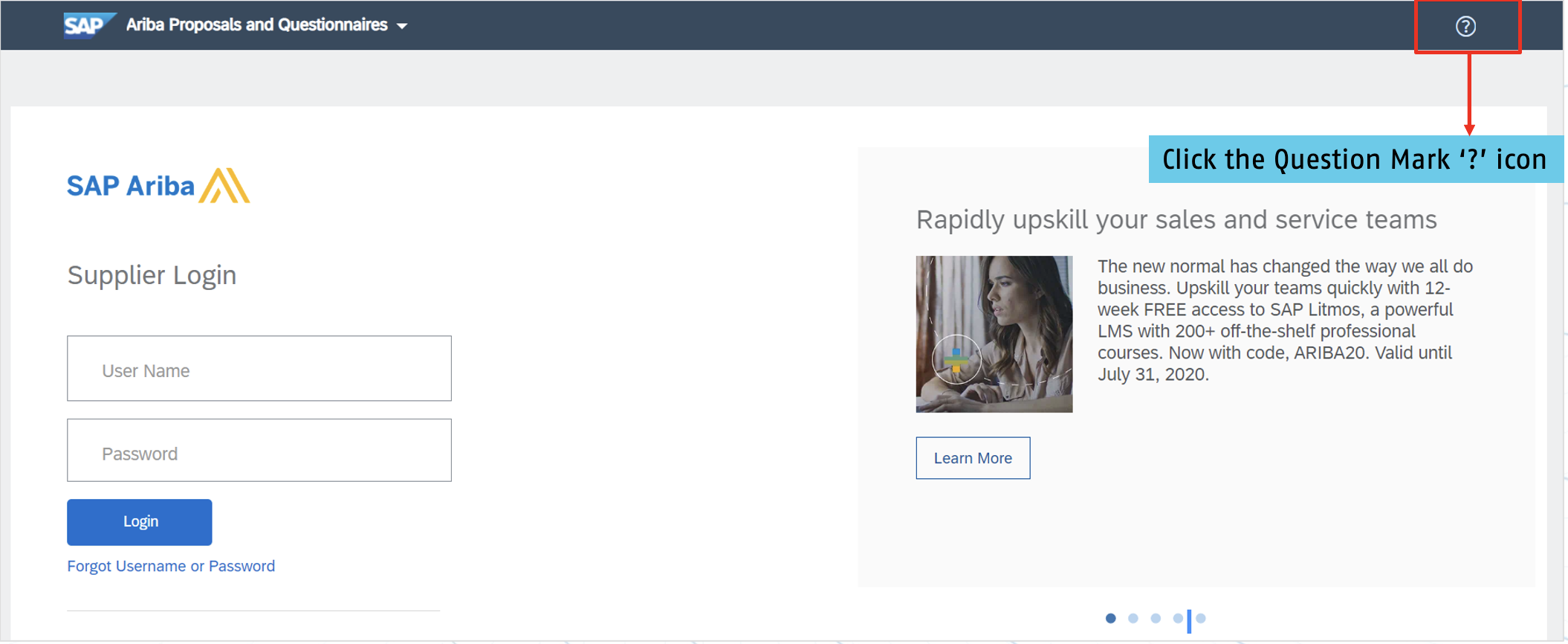
Preparation before E-Bidding Event
- Make sure your internet connection is stable.
- Make sure you have updated your SAP Ariba account profile. (Contact Information -Phone No, Address, etc. and set up your Preferred Time Zone -Account setting>My Account>Preferred Time zone>Save)
- Make sure you have received the invitation email to the E-Bidding Event.
- Try to click the E-Bidding Event link that will redirect you to SAP Ariba webpage.
- Make sure you are able to enter Username & Password before the E-Bidding Event started.
- Make sure you can preview the event before the E-Bidding Live Event started.
E-Bidding Terms and Conditions
- The bidder will only submit bids through the E-Bidding tool provided by Sarawak Energy. Any bid submission via any other tools shall not be accepted by Sarawak Energy.
- Bidders are responsible to ensure the internet access is in good condition during E-Bidding process.
- Bidder must observe the highest standards of business practices and ethical conduct in which bid submitted must be genuine, failing which Sarawak Energy shall reject the bid submission.
- The bidder intends to provide goods and will not use E-Bidding to collect market intelligence.
- The bidder do not engage in collusion with any other competitors.
E-Bidding Process Flow
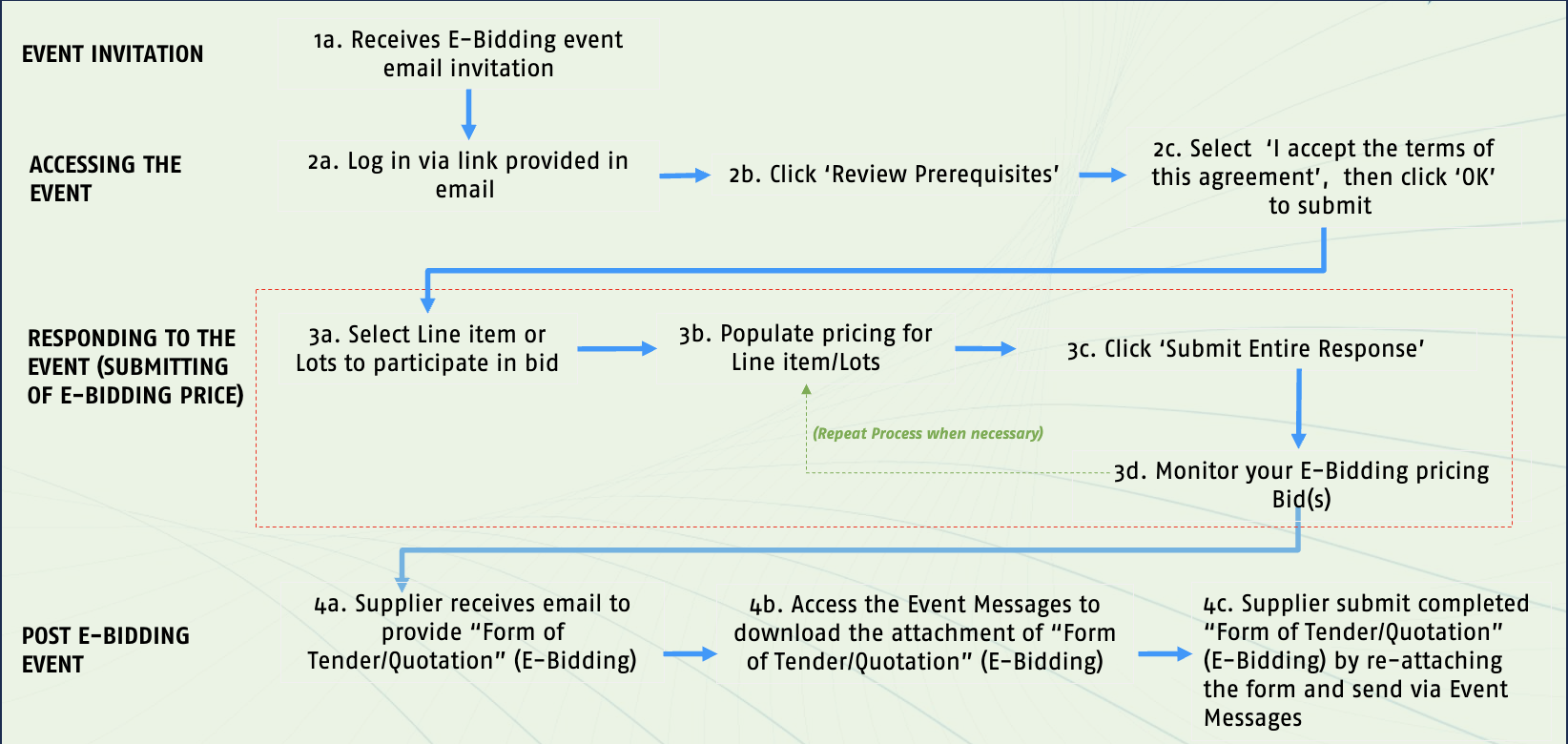
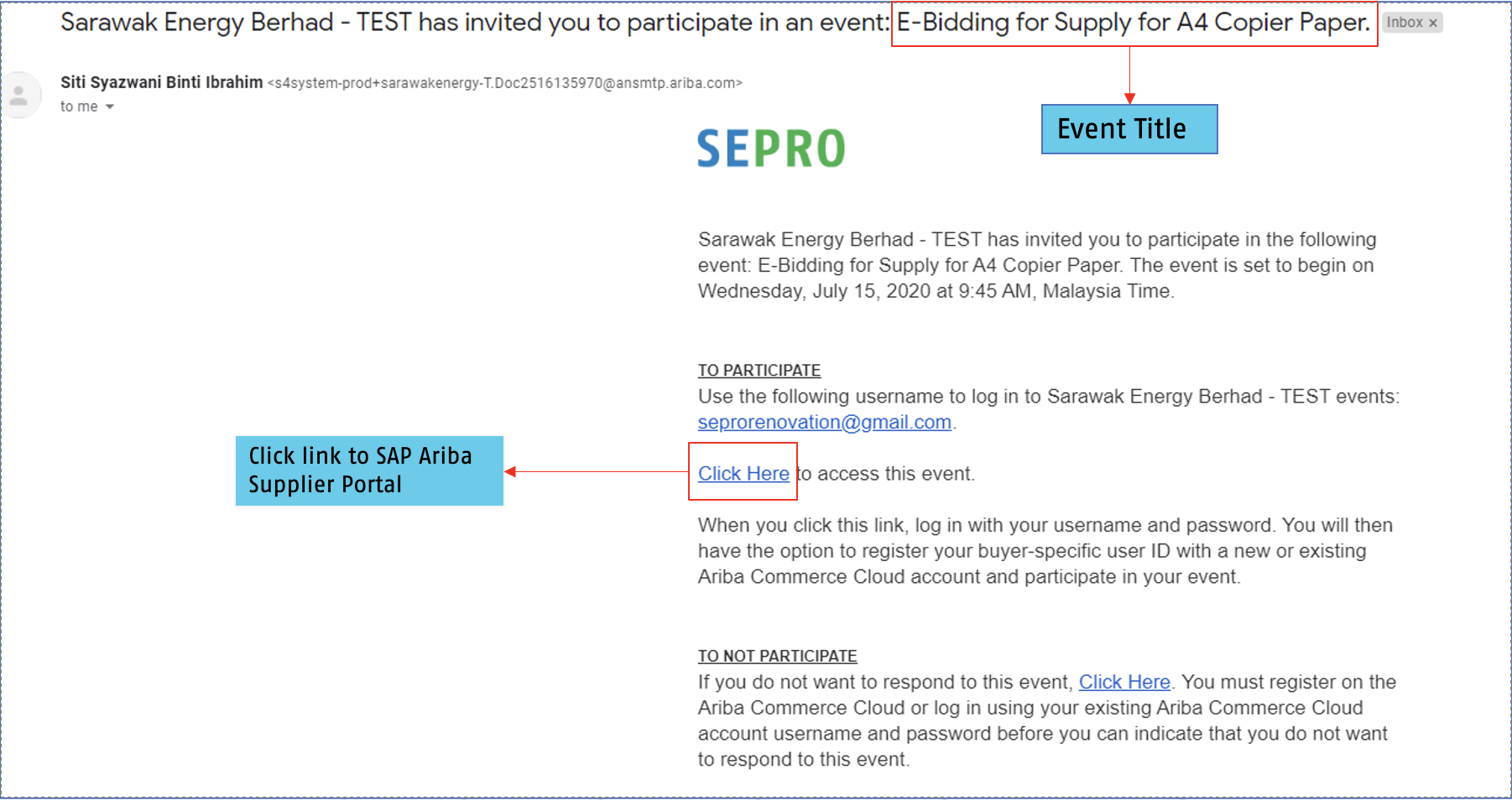
1a. Receive E-Bidding Event Email Invitation
When supplier is invited to a sourcing E-Bidding event, they will receive an email similarly as below:
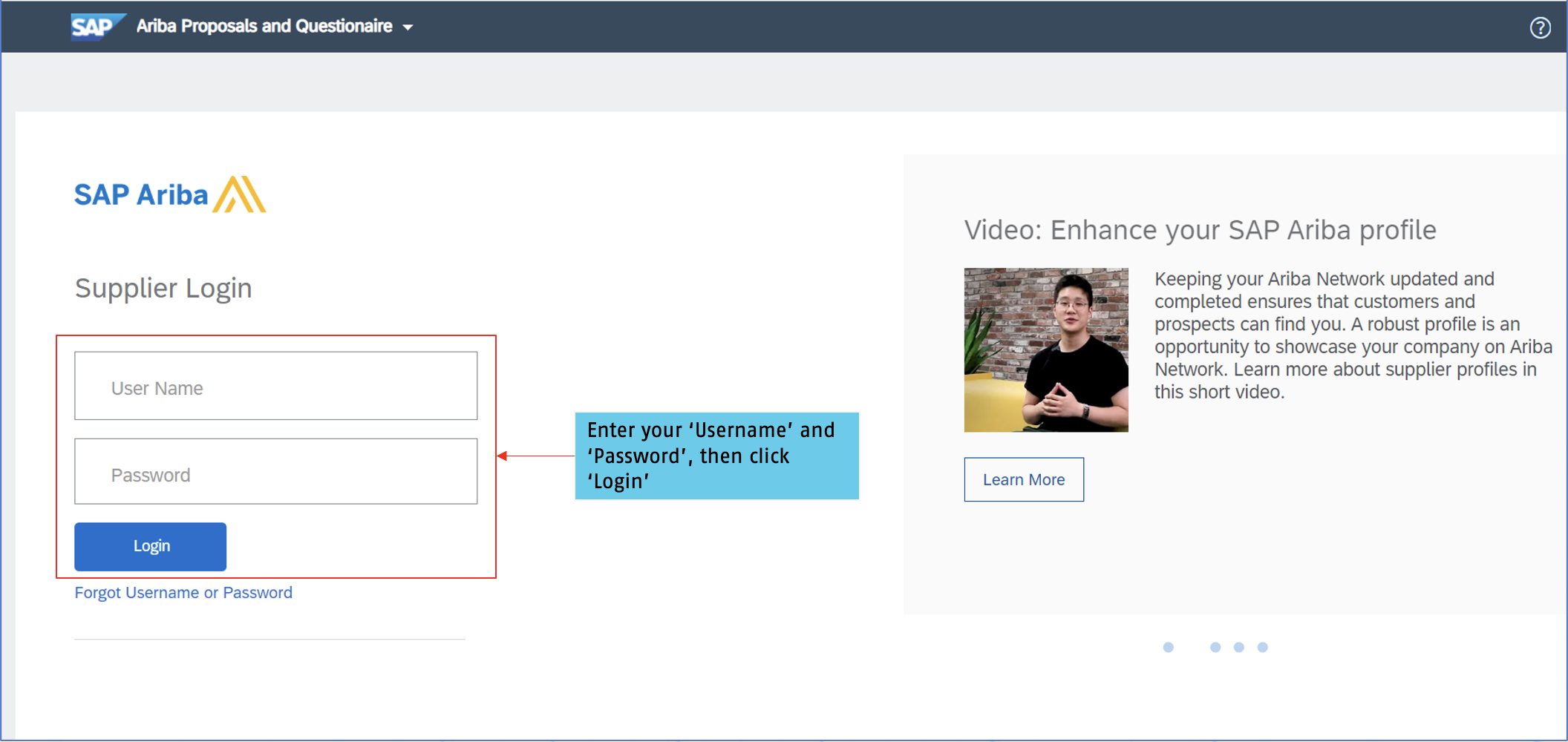
2a. Log in via link provided in Email
Log into the SAP Ariba Supplier Portal (Ariba Proposals and Questionnaire) using your registered username and password.
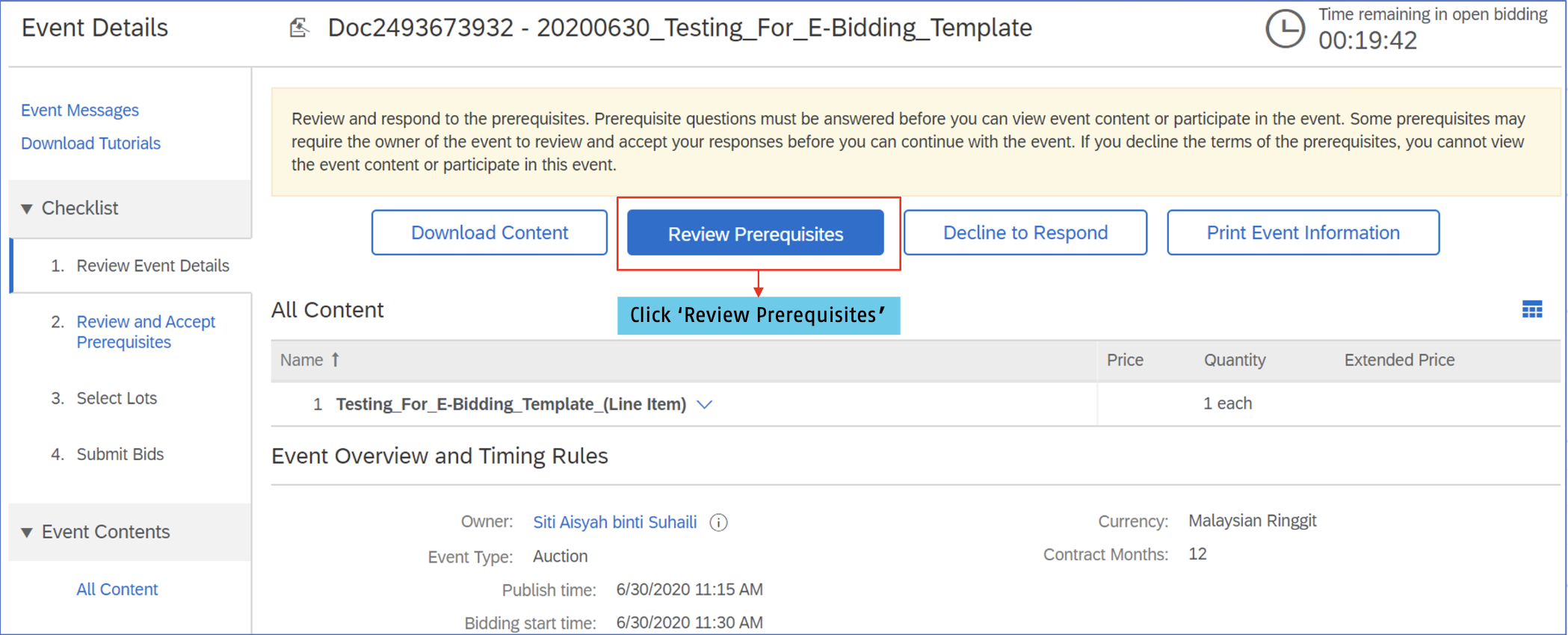
2b. Click 'Review Prerequisite'
Review the sourcing E-Bidding event details, then click 'Review Prerequisite'
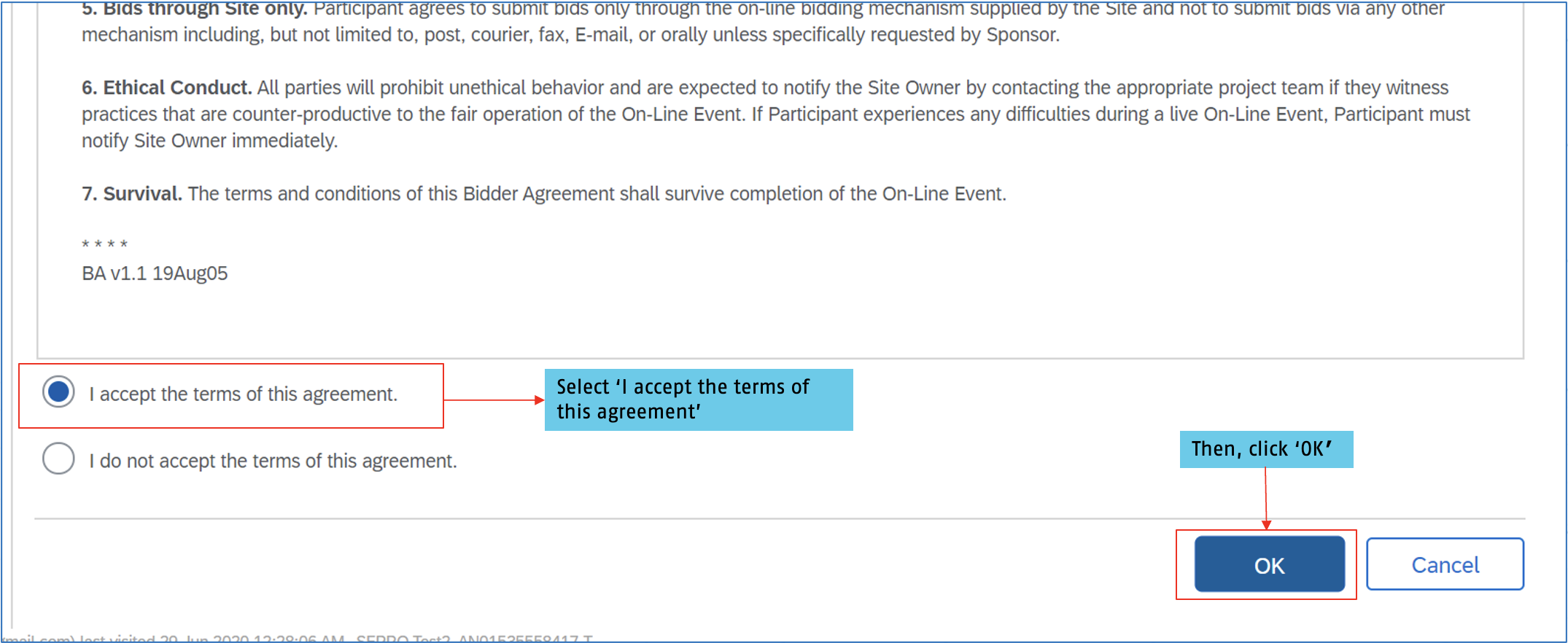
2c. Select 'I accept the terms of this agreement', then click 'OK' to submit
The suppliers are required to accept the terms of this agreement, and click 'OK' to continue.
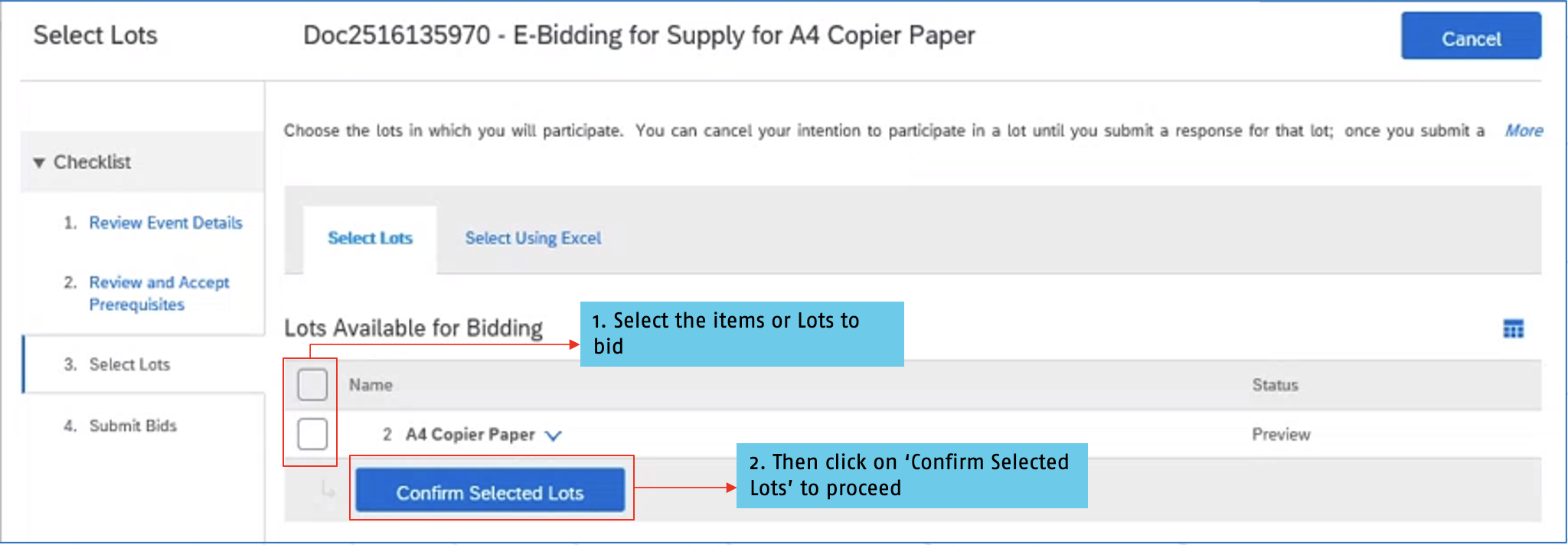
3a. Select line items or lots to bid
The Lots available for bidding will appear. You may choose to either bid on certain selected lots or all lots.
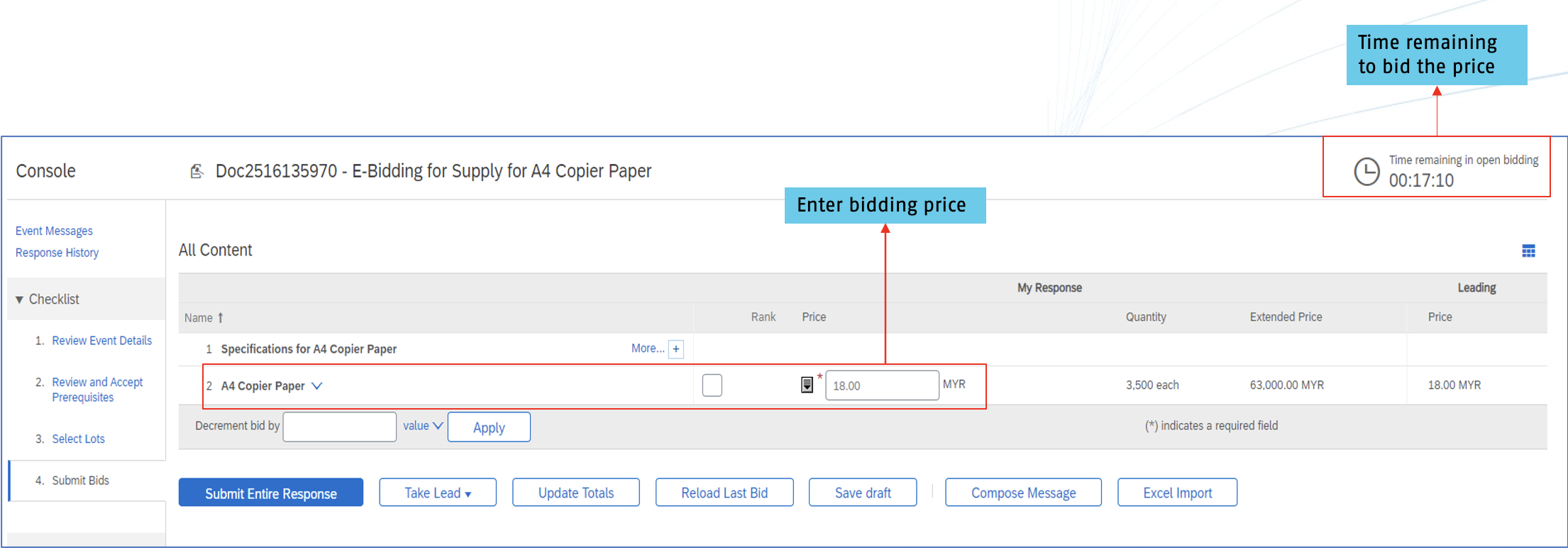
3b. Populate pricing for line items
Fill in the bidding price field.
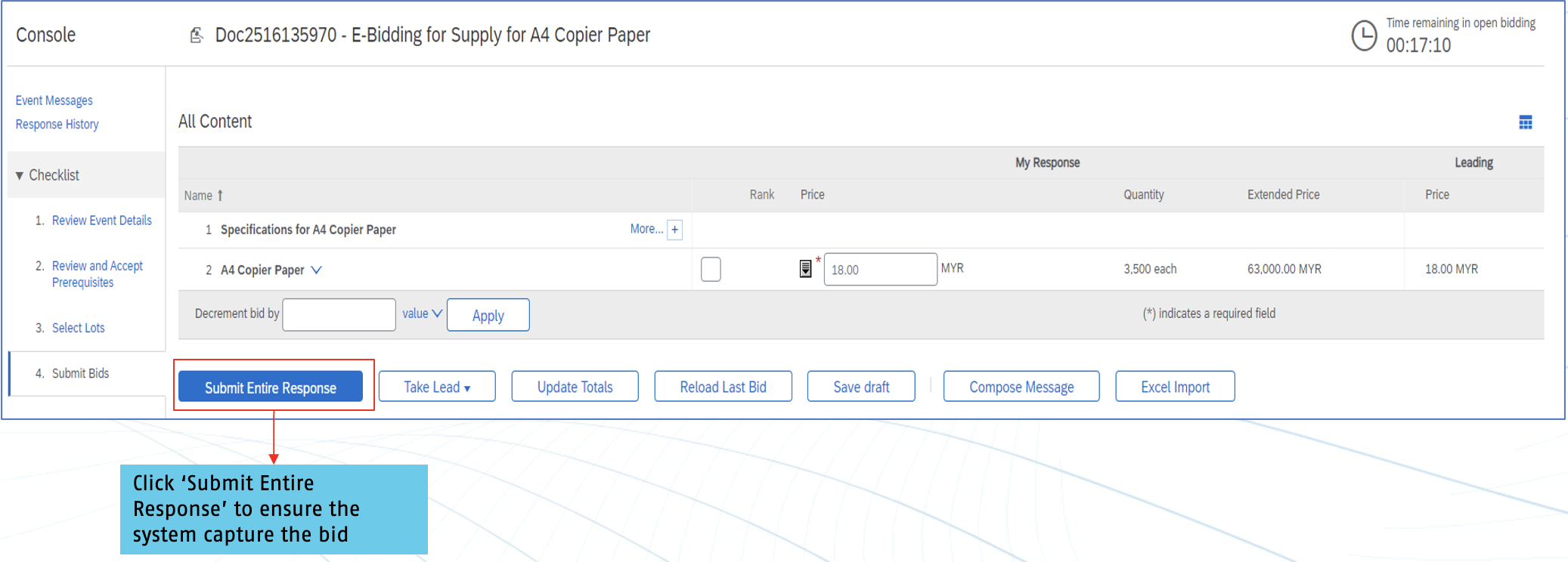
3c. Click 'Submit Entire Response'
Ensure that you click the 'Submit Entire Response' button after filling in the bid price.
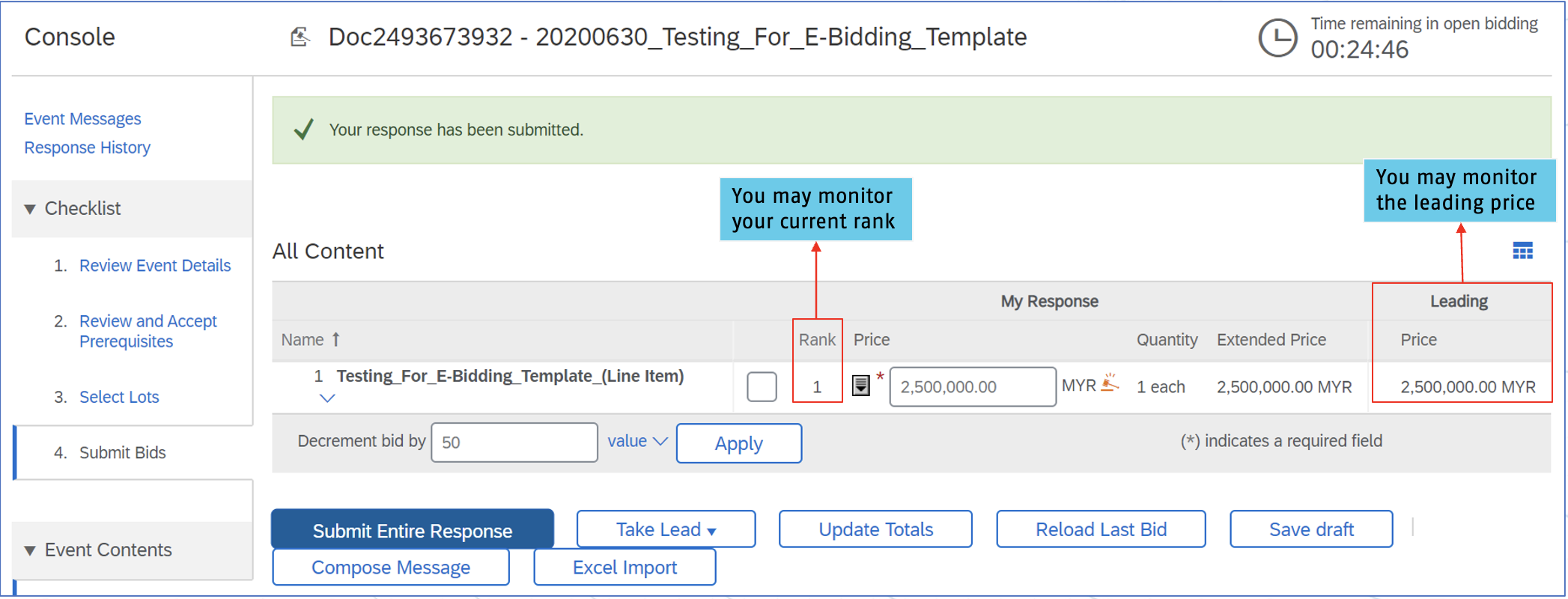
 3d. Monitor your E-Bidding Bid(s)
After submitting the bid, you may monitor the bid rank and the leading price. This indicates your current price ranking in relation to other bids.
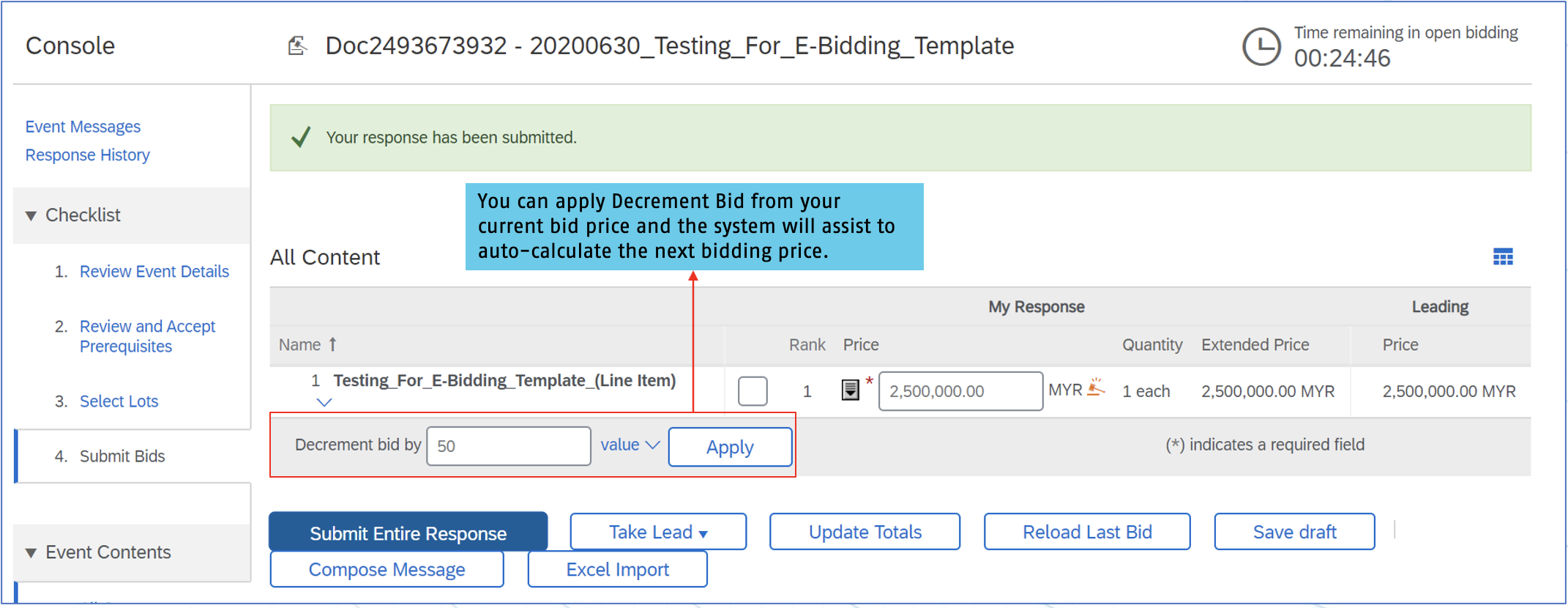
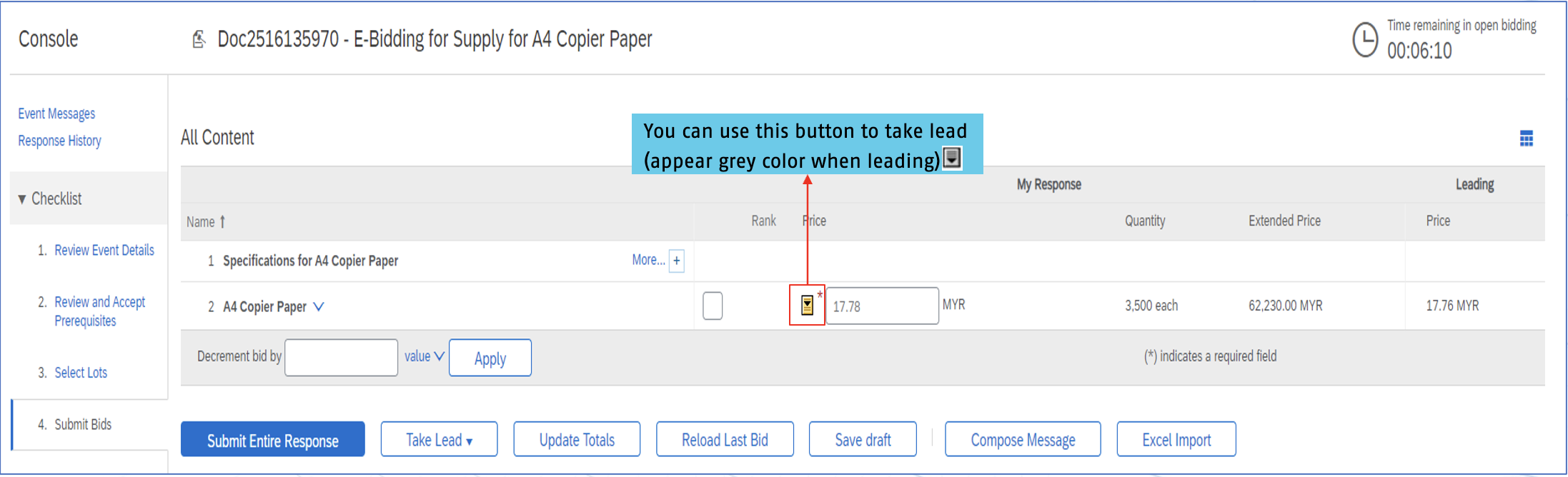
3d. Monitor your E-Bidding Bid(s) (Cont'd)
You able to apply the decrement bid. System will auto-calculate the next potential bid for you. The bid will only be captured after you click on 'Submit Entire Response'.
E-Bidding Event Ended
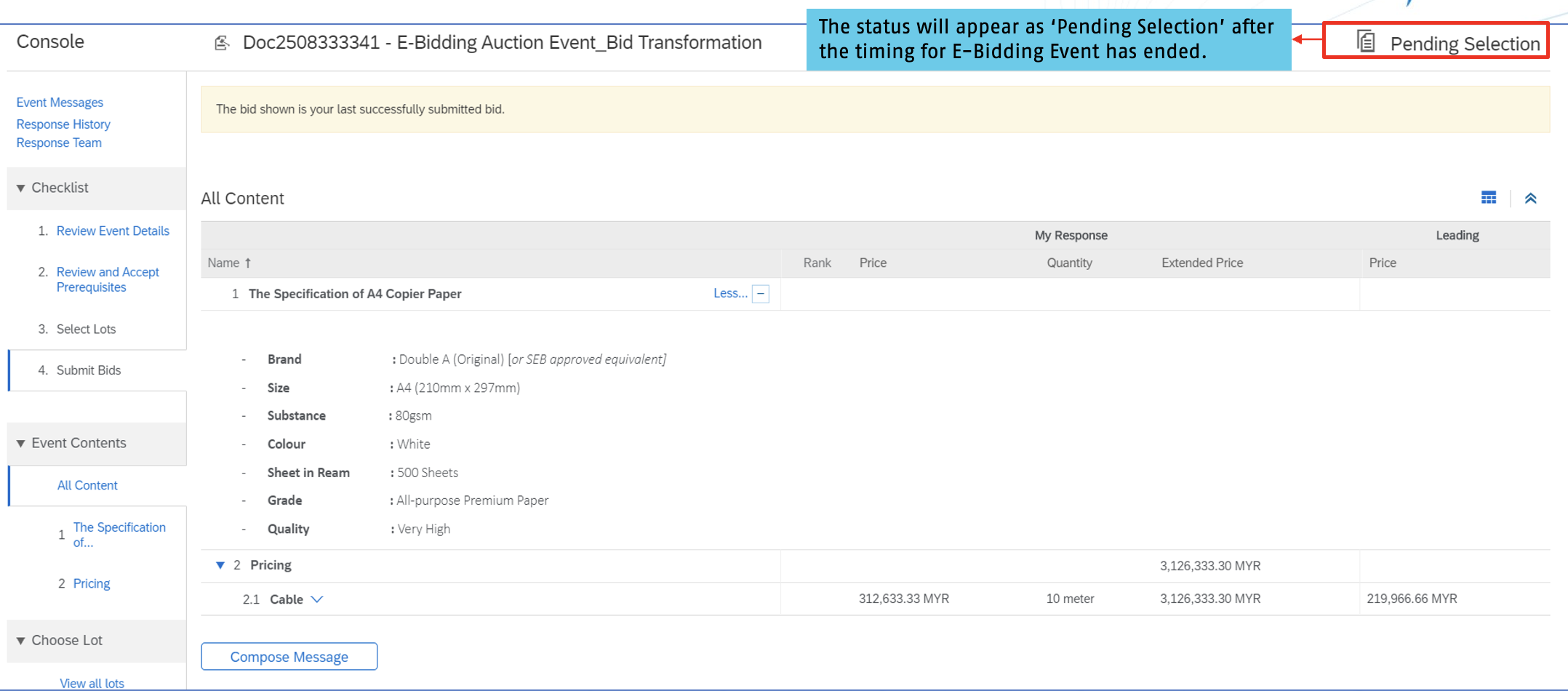
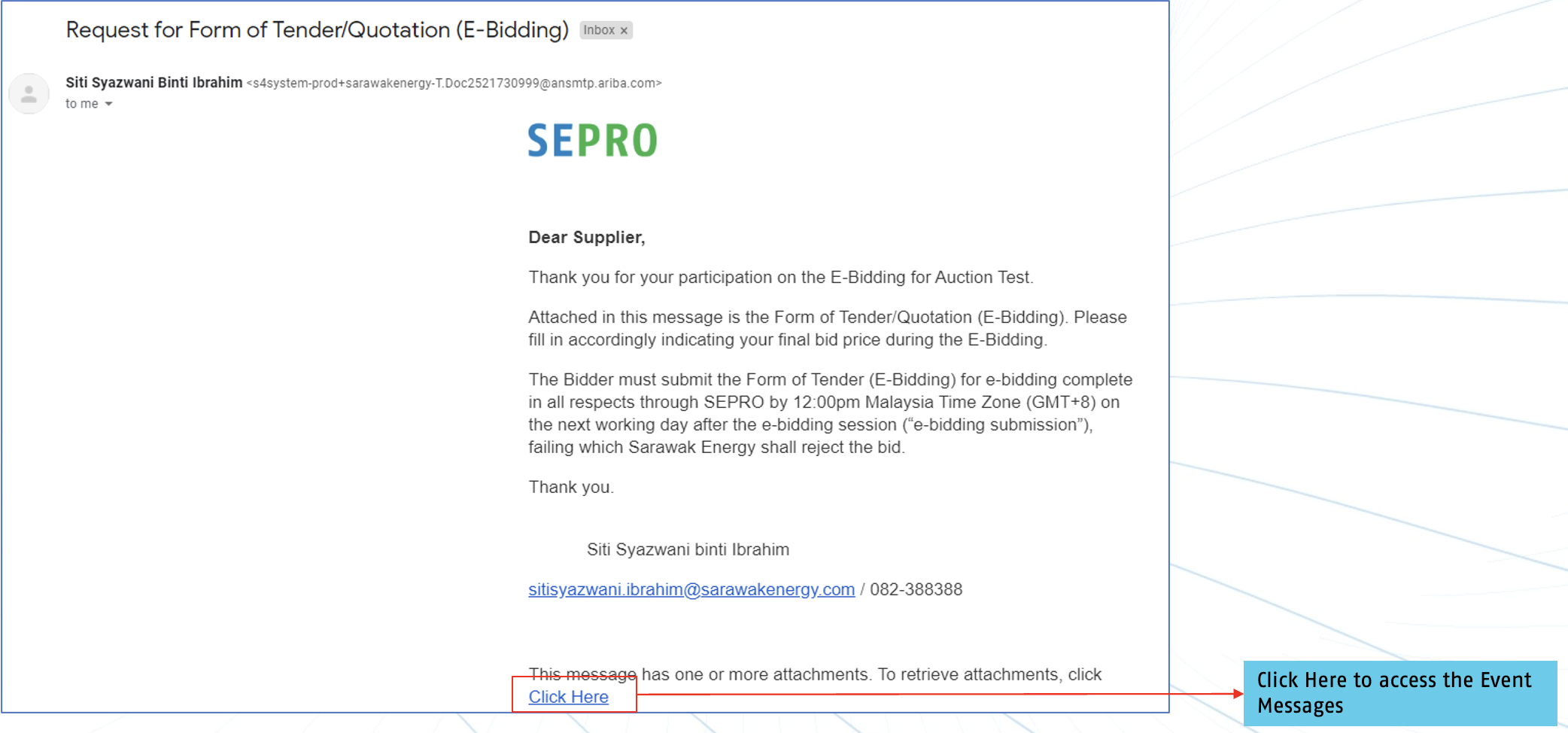
4a. Supplier receives email to provide 'Form of Tender/Quotation' (E-Bidding)
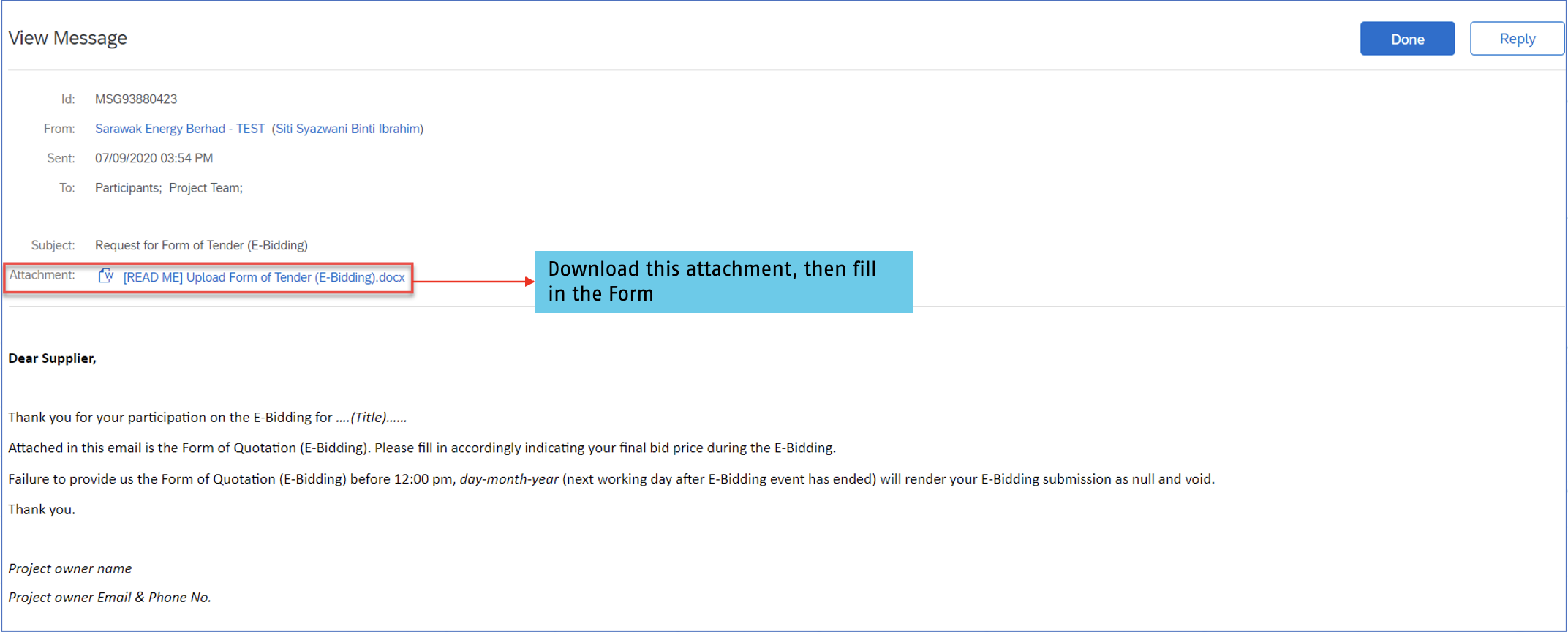
4b. Access the event messages to download the attachment of 'Form of Tender/Quotation' (E-Bidding)
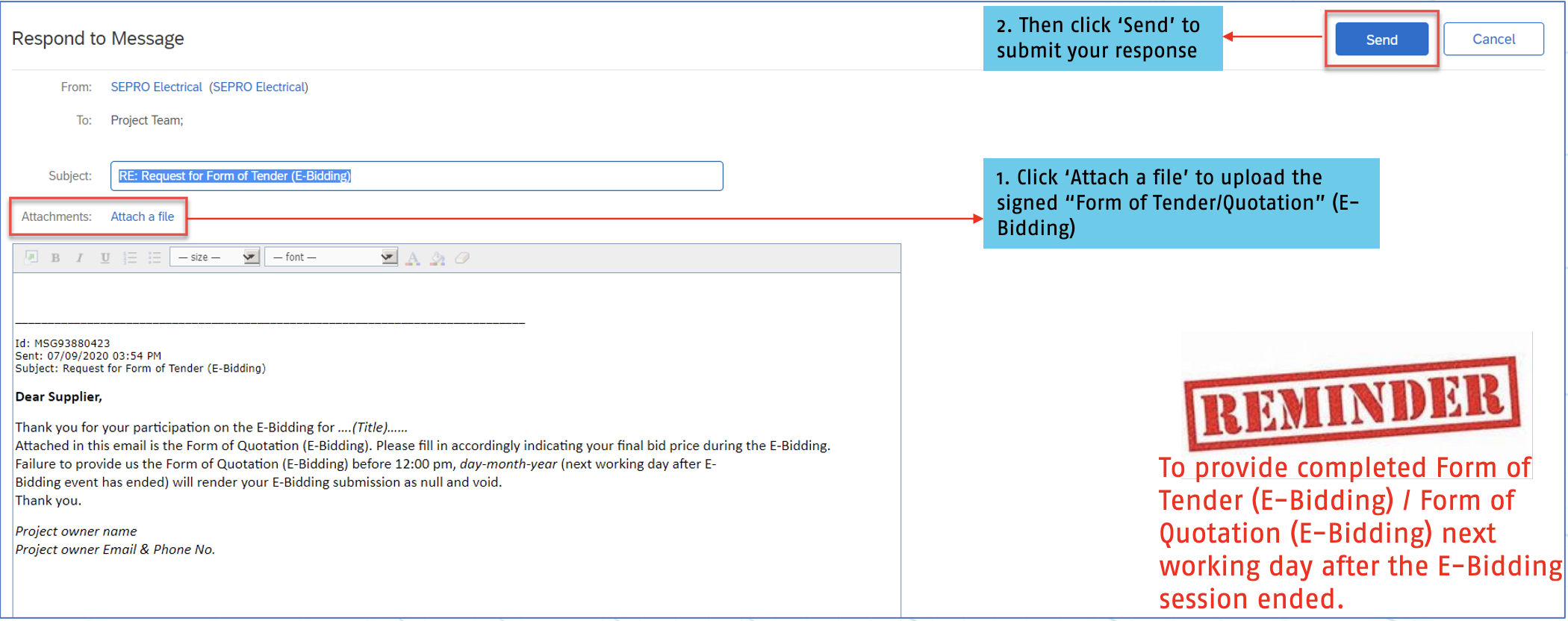
4c. Supplier submit completed 'Form of Tender/Quotation' (E-Bidding) by re-attaching the form and send via Event Messages
Assistance from SAP Ariba
Contact SAP Ariba for technical support such as:
- Unable to login
- Unable to view a page on the SAP Ariba Supplier Portal
- Facing difficulty navigating SAP Ariba