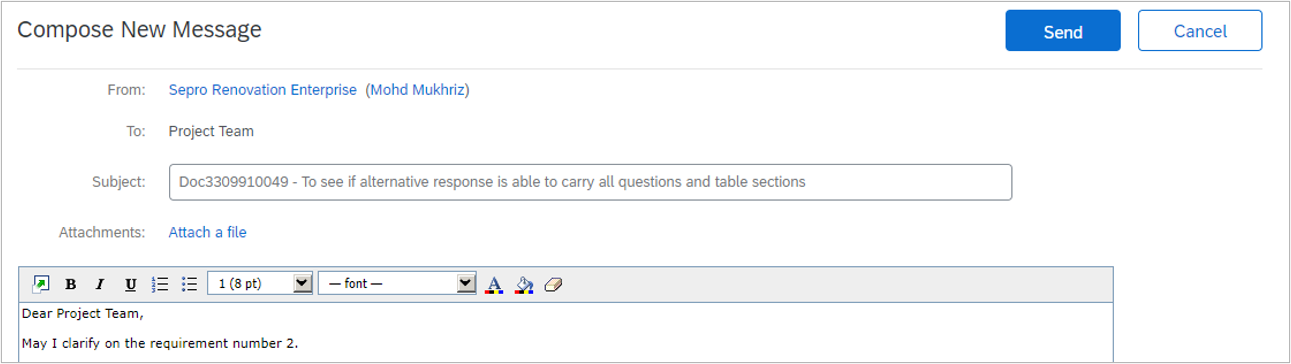
Messaging Function in SEPRO Sourcing Event
- Advantage of using message board (compared to e-mail)
- Different communication channel n sourcing project
- Communicate with vendors via event messages (External)
| Criteria | Via Messaging (Recommended) | Via E-mail (Outlook) |
| Trail of communication | One central location (per sourcing porject) | Mixed up with other emails |
| Ease of use | Messaging box with recipient list is readily available in the sourcing project (for group and individual communication) | Need to key-in for respective project team's email |
| Visibility | Trail e-mail kept in sourcing project | Have to manually search and compile trail e-mail whenever needed |
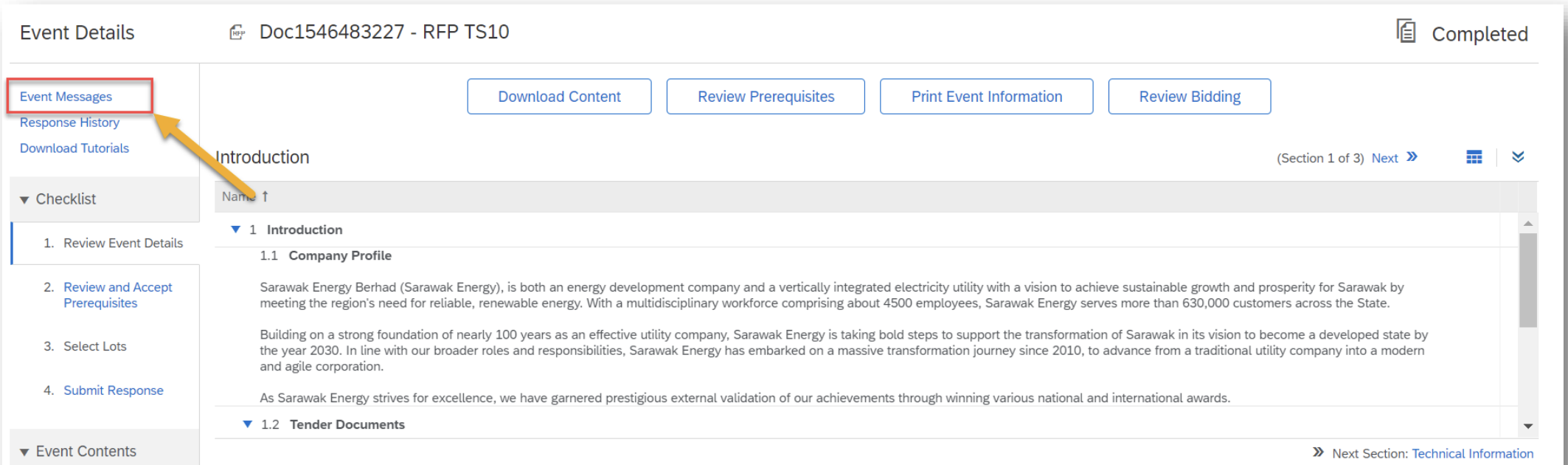
1. Go to the event page and click on "Event Messages" should you have any enquiries to the project team
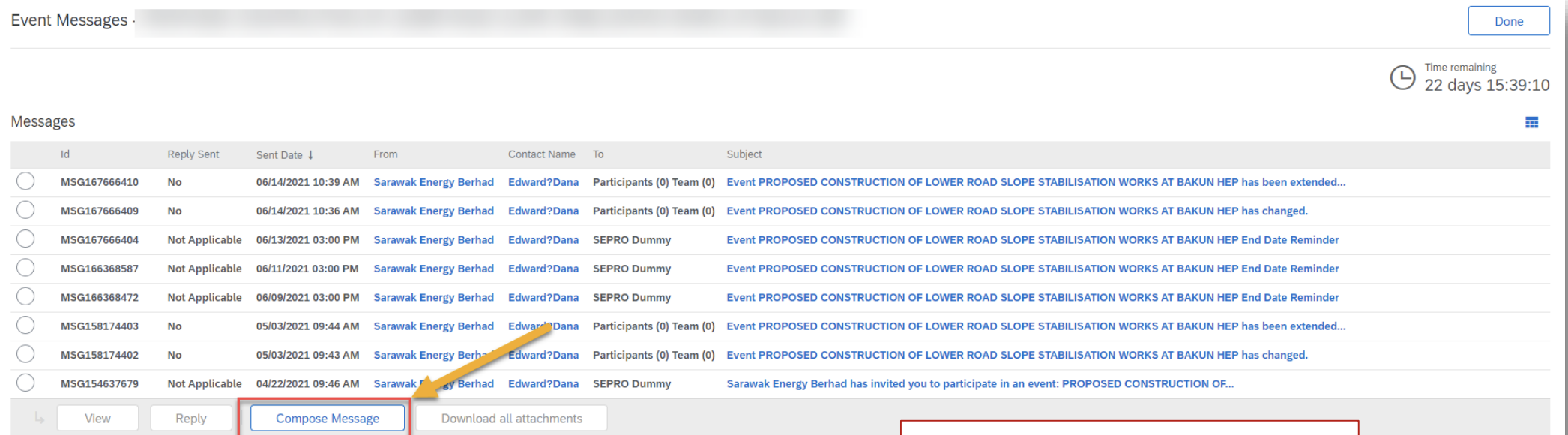
2. Once in the event message page, proceed to click on "Compose Message"
3. Type your message and click "Send" to send your message